There is a reset/reload button for the GUI when you open the reality editor with an iPad.
This will reload the entire interface and all data stored about the objects.
It looks like this: 
I have removed it from the editor on the iPhone so that there is more space.
If you develop on an iPhone, a quick solution would be change line 76 1 in the onload.js 1 editor file
to being visible. You might also need to make some adjustments with the positioning.
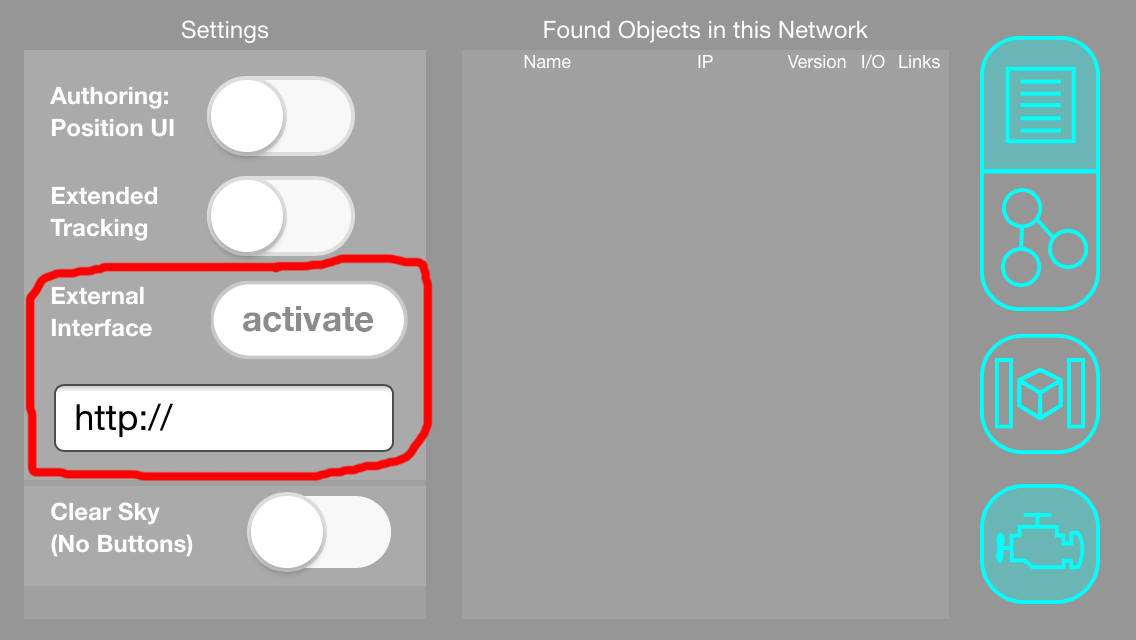
Then host your modified editor 2 copy on a simple local static web server and activate the copy within the reality editor.
Once you activate the interface from your own URL or IP, the interface is loading from your own code. The editor will load your own code every time you open the app for as long as your own code is reachable. It will fall back to the default interface if it was unable to load the copy from the remote server.
In any case, if your editor is not seeing the object target for 3 seconds it destroys the buffered web page and fully reloads it from the hybrid object when it is visible again. However this will not destroy the json data known about the object.