Make sure that your browser is not automatically unzipping the zip file.
For example: Safari > Preferences > General > uncheck: Open “safe” files after downloading
created
Aug '15last reply
Jun '17- 2
replies
- 2.9k
views
- 2
users


Make sure that your browser is not automatically unzipping the zip file.
For example: Safari > Preferences > General > uncheck: Open “safe” files after downloading
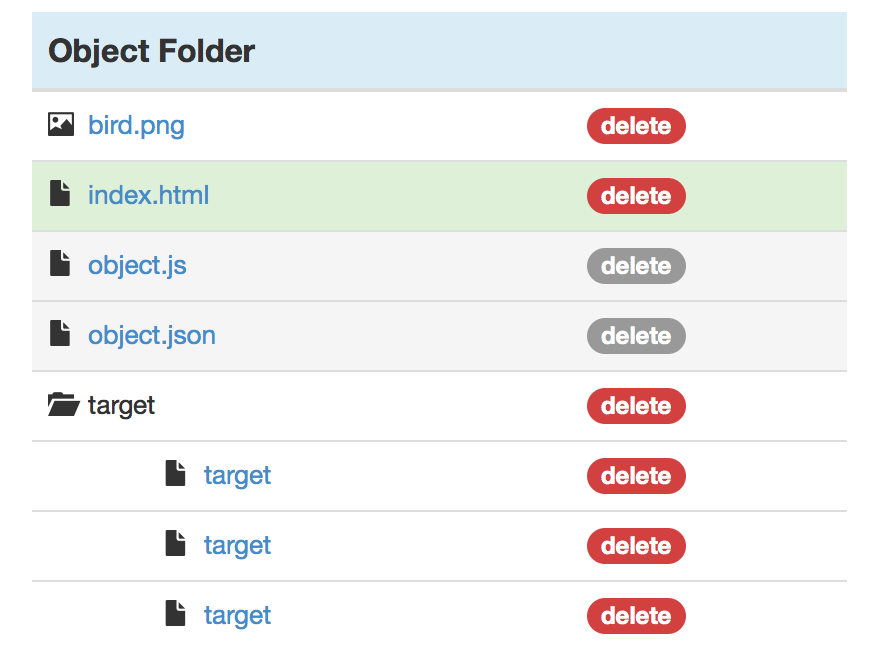
Aug '15Jun '17No matter what I do, my target keeps uploading incorrectly. I’ve tried different names, zipping the file without the .jpg and with the jpg, tried different browsers (safari, chrome), just can’t get it to work. Any advice? I’ve even gotten it up to the point where I upload individual files, but still the interface folders get uploaded in weird ways - like the names get changed and not everything ends up within the “target” folder.