This forum is a read-only archive. Posting, accounts and search are no longer available.
1 / 14
Nov 2015

pinned globally Nov '15

@valentin
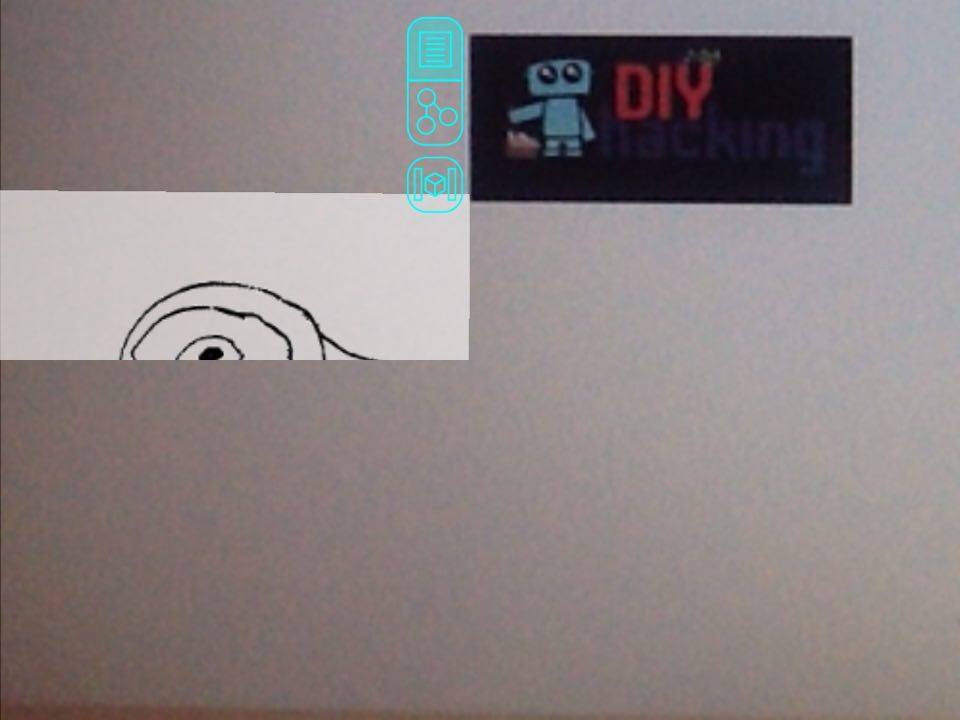
The new version for 32 bit was successfully installed , the menu options which were on the side of the screen now appears in the middle of the screen ,i assume it is a bug

Can you provide me with a screenshot? (You can take a screenshot with pushing the power and home button of the iPad at the same time). Which iOS version do you have?

Can you do a screenshot that also shows the video in some way? That would help a lot.
Can you also show a augmented interface and see if it works on the right side of the screen?

This helps me to understand if it is just a wrong coordinate system for the UI or if the software has not set the orientation right.

Can you also tell me exactly which iPad model you have? I will try to reproduce the error here.

i took a video as i felt screenshot wasn’t good enough,
i use an ipad 2 MC769HN/A

the augmented image isn’t being displayed to the right of the menu also there is clipping at bottom ,it maybe the coordinates

https://youtu.be/PEjHKjH2k8U

Perfect, Thank you for your help to debug the reality editor.
I know now exactly where to find the bug.
But I need to also find an iPad where I can reproduce it for debugging.
It will take some days until the update will be available in the app store, but its easy to solve.

10 days later
8 days later

unpinned Dec '15

@valentin I updated the app , but the problems still exist the same as in the earlier video ,
the menu is in the middle of screen , clipping to right side of menu on screen and also at middle of screen to bottom

Can you rotate your iPad so that it changes the orientations?
When I tested iOS 7.x that helped with this kind of error.

I need to find an iPad2 to check what is going on here.
That might take a little bit time on my side.

Can you also provide me with another screenshot?

Ahh I see where this is coming from.
Your iPad is a non retina device.
It must have something to do with the retina x2 scaling.
Hemm I really need a non retina device to test this out because it should be taken care already. :confused: