This forum is a read-only archive. Posting, accounts and search are no longer available.
1 / 10
Dec 2015

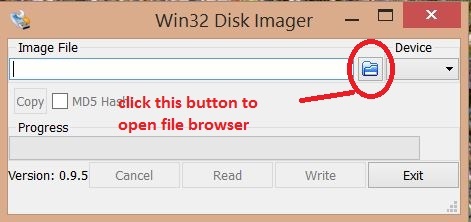
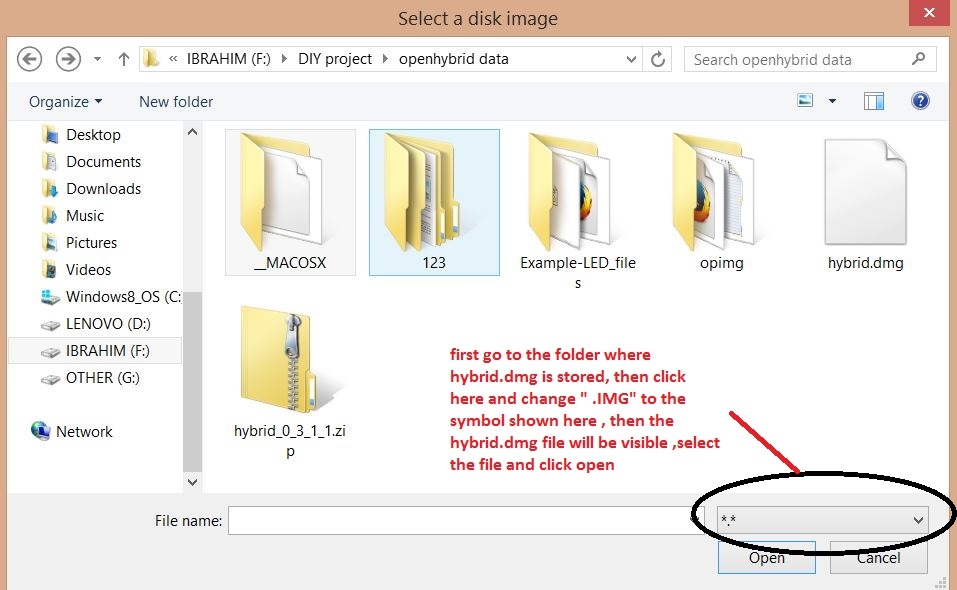
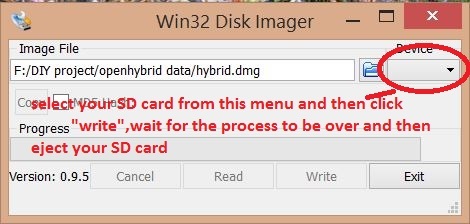
Hello, I am having some trouble installing this software. I have installed the win32 disk imager and inserted my micro sd card with adapter. Now when i open up the win32, i do not understand how to browse the folder where the hybrid image is stored.

If you are having trouble following the manual in the site ,please wait till tomorrow, I will add some images also to clear your doubts :smile:

4 months later

Hi,I have write the hybrid.dmg in SD card,and inserted the micro sd card in YUN ,but nothing happen.How to solve this problem,thank you!

9 days later

hi V_Mohammed_Ibrahim you re explanation are really clear
and the documention on www.openhybrid.org work.
but when win32 disk imager finish to write, he say : write successful
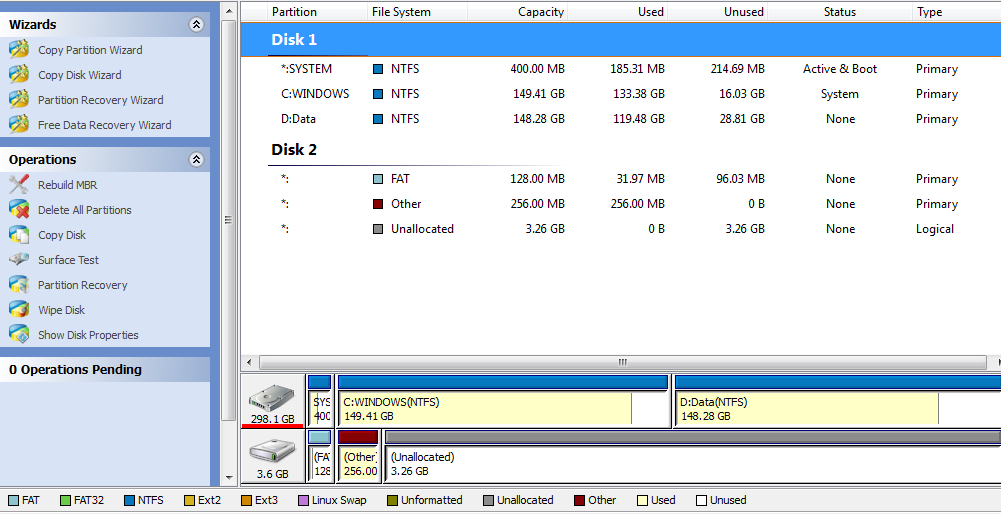
but on my 4GB of sd card i have
1 partion of 128 mb fat 32 who is full
1 partition of 256 who is full
and the other is unalocated
i think there is a bug because you ask to have a 4gb sd card.
see print screen and capacity and used of disk 2
thanks a lot open hybrid is a great project

@karlTH yes the SD card becomes partitioned like that once you write the HybridObject image to the card .
It is the same when you write it using the “dd” tool in linux also
I have specified 4 GB because it is safe , if you require only very light use , you can use a 2 GB card as well , i have worked with 2 GB card.
if you finish your work with Openhybrid and want to put the SD card back to original size use this tutorial

thank you for you re quick answer.
may be someone could add a picture of the résult of the SD card on the tutorial.
like this every body could know if the operation is a success or not.

karl