This forum is a read-only archive. Posting, accounts and search are no longer available.
1 / 92
Dec 2015

https://itunes.apple.com/us/app/reality-editor/id997820179 7

  • Bugfix: Fixed scaling bug with extra resolution retina displays such as the iPhone 6+.

This Version was tested with:
iPad2, iPad3, iPad4, iPad Mini, iPhone5s, iPhone6+

pinned globally Dec '15

Hi, valentin,

I am trying this app and setting up testing environment with Raspberry Pi but I don’t how to make the app see the virtual objects on.

Could you give me some hints or guides and let me know how to test those examples on website?

I have install ‘object’ on my Raspberry Pi and I can access the Dashboard on Raspberry Pi and create a “Target” and upload dataset.

After that, I still cannot see any objects from App. I’m thinking maybe I miss some settings on App. Could you please help a bit? Thanks a lot.

ivan

Have you checked that your phone is logged in to the same Wifi as your Pi?

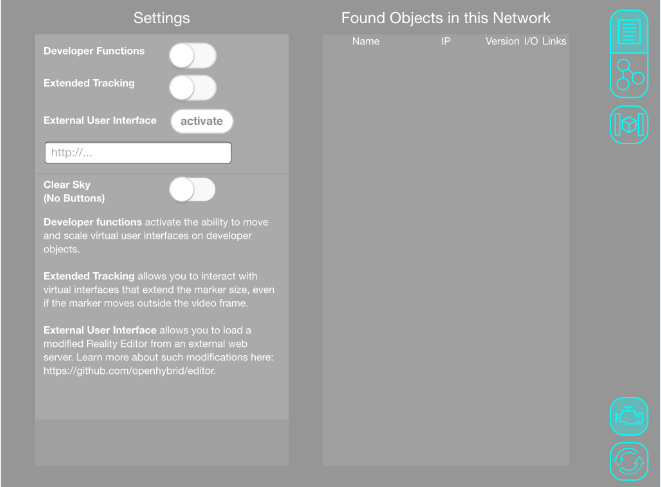
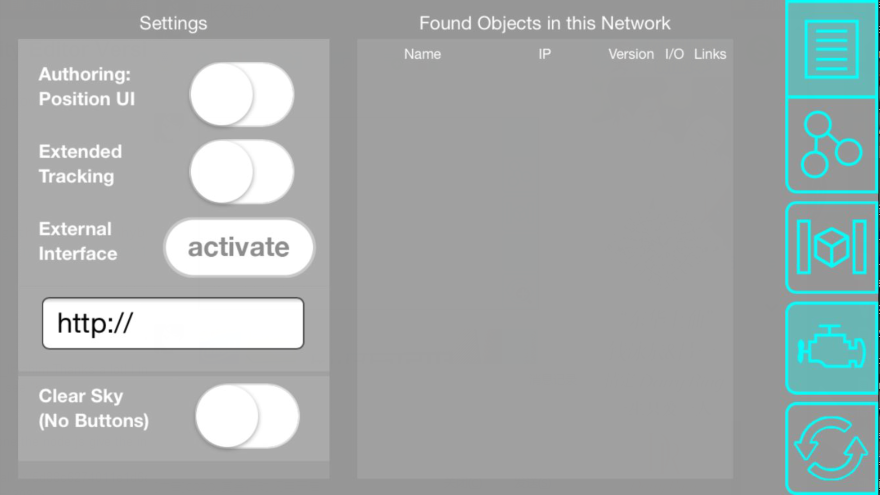
When this is the case you can click on the little engine block icon and see a list of discovered objects.
Your object should be in this list.

Yes. I am sure they are in the same Wi-Fi and I also check there is no object in the list.

Actually, the same situation happens on my Arduino Yun.

I’m trying the same example of sensorAndSlider on Yun and I cannot make it work and i did double check both iPhone and Yun are connected to the same network.

A quick question:
can I try this example of sensorAndSlider without setting Vuforia, just upload target.jpg and target.zip which are included in the example to Arduino Yun ?

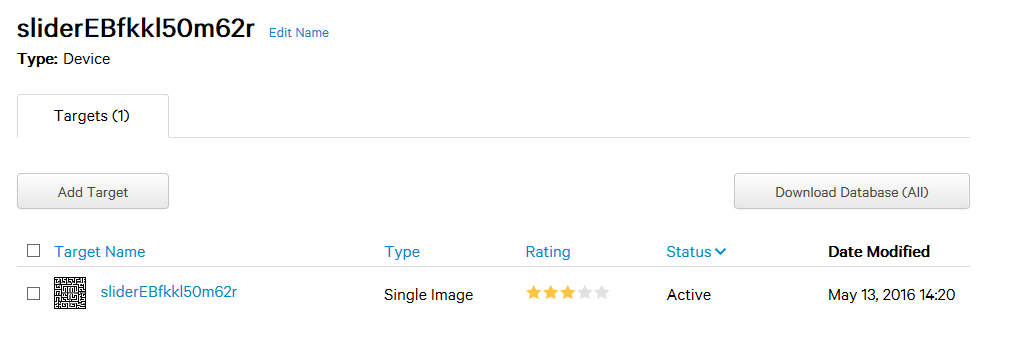
After I did this, both buttons of Target and Interface are in green. However the target name has been changed to sliderEBfkkl50m62r.

Ivan

Yes you can try the example files.
Make sure that your object has the name slider.

You don’t need to make any changes to any name. The sliderEBfkkl50m62r name is a combination of the object name and a generated ID.

Your Arduino should be in the same network as your phone.
If the Interface button is green, the object is broadcasted in to the network and your phone should be able to see it.

Hi, @valentin,

Thank you. I am able to upload the sensorAndSlider example to Arduino Yun.

Right now I can see the slider bar on the screen and I can control it but my LED does not light up with it. I will keep trying.

And, I would like to connect the touch sensor and LED. However, there are no buttons shown on the screen when I press the second button iPhone.

I expected I can see two buttons which are Sensor and LED, like what I saw in the video.

Do I miss something to do this example?

Have you programmed the Arduino with the Arduino code?

If the Arduino is programmed and you still do not see any sign for the IO-Points it could be the following:
Sometimes the Open Hybrid platform and the Arduino Code are out of synchronization.
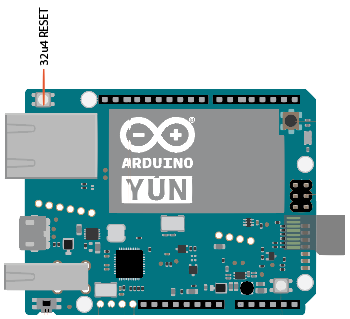
In that case you need to push the Arduino Reset button (32u4 Reset) on the Arduino Yun board.
Most likely after you press this button, the visual IO-Points will show up.

Hi, @valentin,

Do I need images or other files to show those virtual IO-Points?
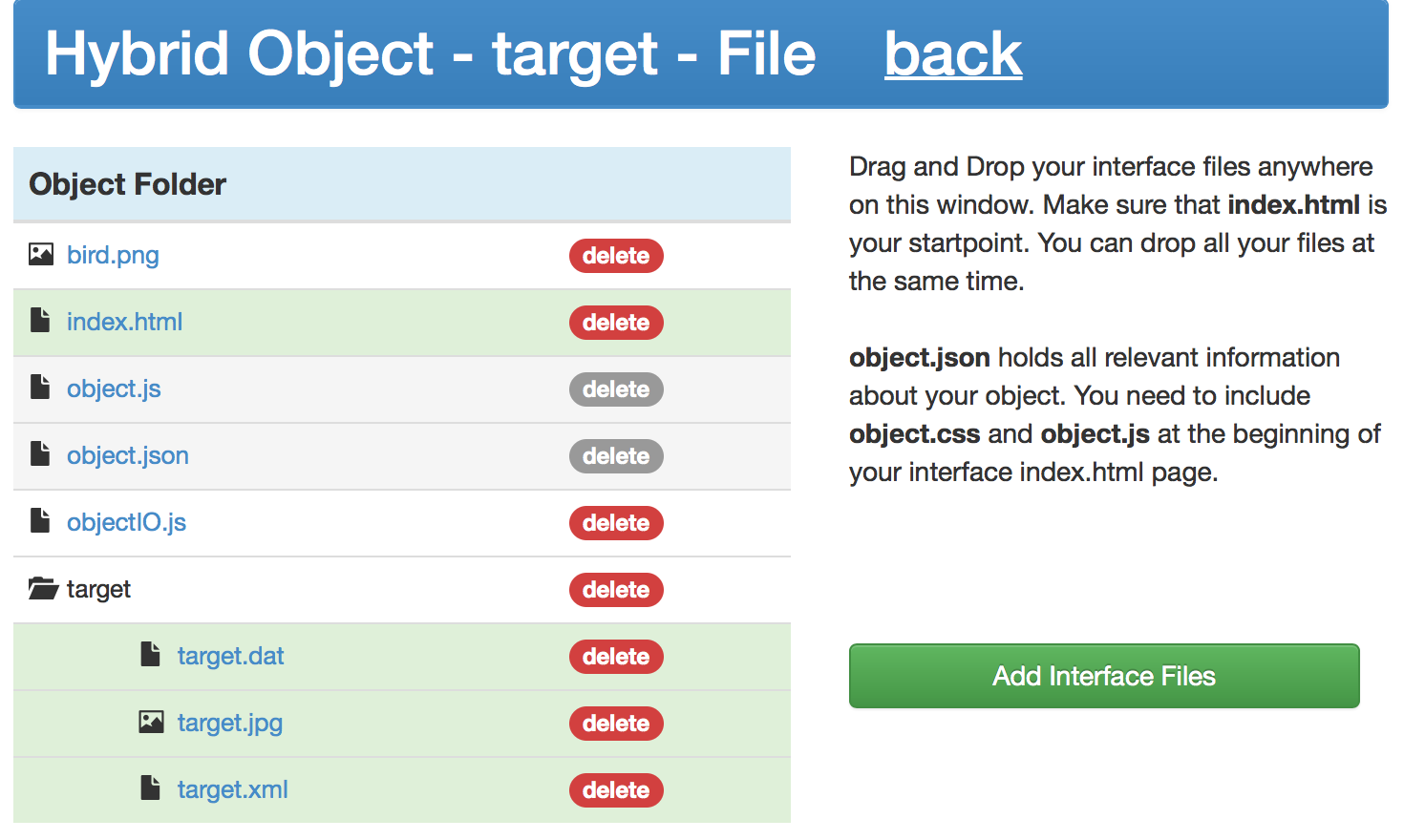
Below are images and files placed on my Arduino Yun.

I think I need a circle image to do virtual IO-Points and may I need find one and upload to Yun?
Also, should I add two labels, like Sensor / LED, in a config file somewhere ?

[EDIT] @valentin
I believe the circle image is in here, the folder of dataPointInterfaces, right?

So, I need to find other reason why I cannot see the virtual IO-Points.

Currently, the Arduino code is programed and 32u4 Reset is pressed, but I still cannot see the buttons.

Should I worry the warning messages shown on Arduino IDE? I list them below.

/Users/ivanlin/Documents/Arduino/libraries/HybridObject/examples/sensorAndSlider/sensorAndSlider.ino: In function 'void setup()':
/Users/ivanlin/Documents/Arduino/libraries/HybridObject/examples/sensorAndSlider/sensorAndSlider.ino:18:24: warning: deprecated conversion from string constant to 'char*' [-Wwrite-strings]
 obj.add("slider", "led"); // add a new I/O Point to the Object
                        ^
/Users/ivanlin/Documents/Arduino/libraries/HybridObject/examples/sensorAndSlider/sensorAndSlider.ino:18:24: warning: deprecated conversion from string constant to 'char*' [-Wwrite-strings]
/Users/ivanlin/Documents/Arduino/libraries/HybridObject/examples/sensorAndSlider/sensorAndSlider.ino:19:27: warning: deprecated conversion from string constant to 'char*' [-Wwrite-strings]
 obj.add("slider", "sensor");
                           ^
/Users/ivanlin/Documents/Arduino/libraries/HybridObject/examples/sensorAndSlider/sensorAndSlider.ino:19:27: warning: deprecated conversion from string constant to 'char*' [-Wwrite-strings]
/Users/ivanlin/Documents/Arduino/libraries/HybridObject/examples/sensorAndSlider/sensorAndSlider.ino: In function 'void loop()':
/Users/ivanlin/Documents/Arduino/libraries/HybridObject/examples/sensorAndSlider/sensorAndSlider.ino:28:40: warning: deprecated conversion from string constant to 'char*' [-Wwrite-strings]
   obj.write("slider", "sensor", reading);
                                        ^
/Users/ivanlin/Documents/Arduino/libraries/HybridObject/examples/sensorAndSlider/sensorAndSlider.ino:28:40: warning: deprecated conversion from string constant to 'char*' [-Wwrite-strings]
/Users/ivanlin/Documents/Arduino/libraries/HybridObject/examples/sensorAndSlider/sensorAndSlider.ino:31:43: warning: deprecated conversion from string constant to 'char*' [-Wwrite-strings]

   analogWrite(13, obj.read("slider", "led") * 255);
                                           ^
/Users/ivanlin/Documents/Arduino/libraries/HybridObject/examples/sensorAndSlider/sensorAndSlider.ino:31:43: warning: deprecated conversion from string constant to 'char*' [-Wwrite-strings]

Hi @ivanlin,
There are two different models here.

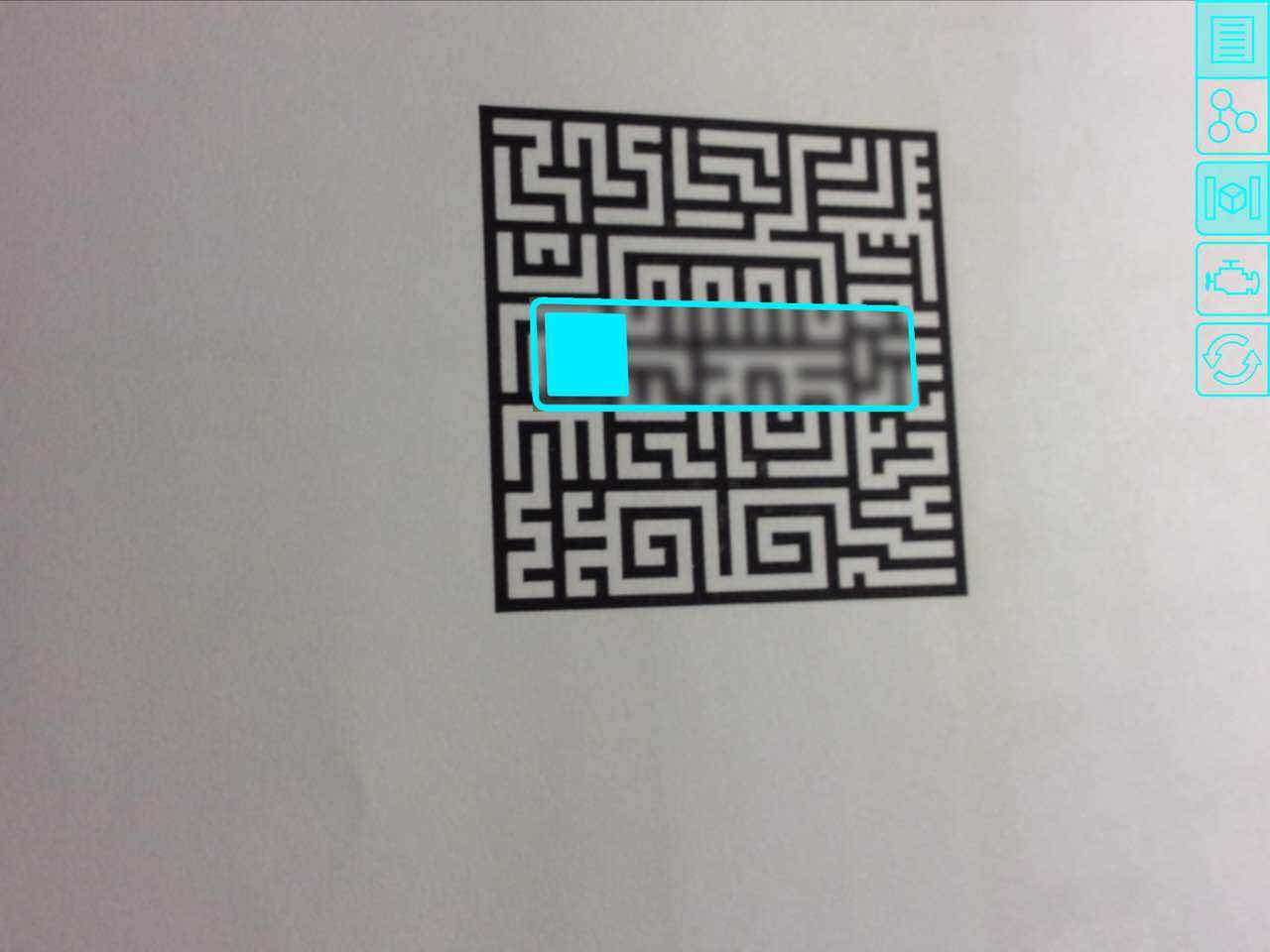
For one there is the Augmented User Interface Mode. It has the following Icon in the Editor:

This is where you can generate HTML user interfaces for, that you can interact with.
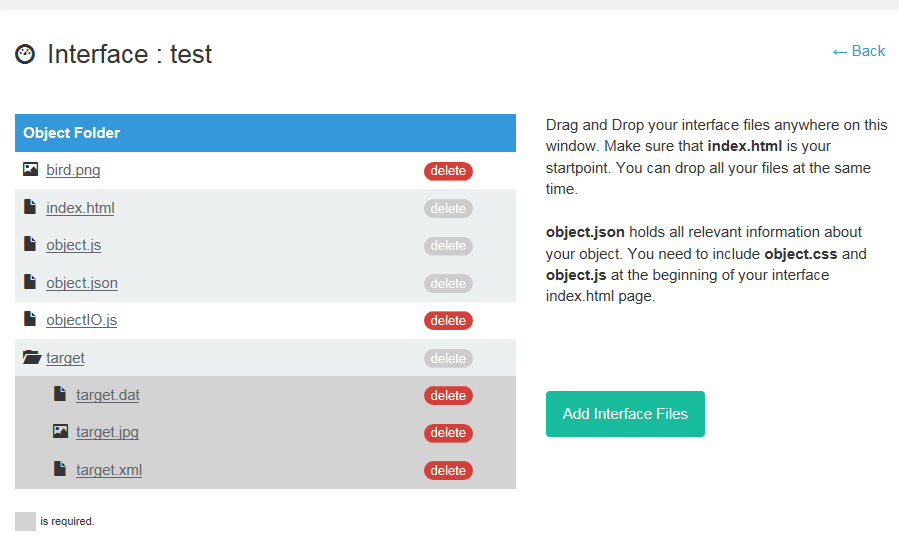
Like a slider. This interface is what you create with the html webpage shown in your screenshot above.
MAKE SURE THAT YOU REFERENCE OBJECT.JS IN YOUR HTML FILE, OTHERWISE NOTHING SHOWS UP

The other function is the programming. It has the following icon:

The programming is where your IO-Points show up.
These IO-Points are automatically generated. The generation is based on what IO-Points you define in your Arduino Code. You can use the Reality Editor to position them rightfully.

The IO-Points will allow you to connect objects or IO-Points with each other.
If you want to build simple interfaces, the entire visual appearance of the programming interface is something you have no influence. It will just work for you.

@ivanlin
Can you please give some information what Arduino Version you use.
Have you installed the Arduino Yun image (v0.3.1.1) as explained in

?

The Open Hybrid Arduino library runs without errors and warnings on the latest official Arduino IDE (1.6.7).
Download link: https://www.arduino.cc/en/Main/Software 1

I have just compiled a test with no warning messages.

Hi, @valentin,

Below is my environment settings:
Arduino Yun Image (v.0.3.1.1)
Arduino IDE (1.6.7)
Example: Example -> HybridObject -> sensorAndSlider

/*
Read from and Write to a Hybrid Object

Copy the files from the interface folder 
to your Hybrid Object.

created 2015
by Valentin Heun
*/

#include <HybridObject.h>
HybridObject obj;

int counter =0;

void setup() {
obj.developer(); // allow developer tools
obj.add("slider", "led"); // add a new I/O Point to the Object
obj.add("slider", "sensor");
}

void loop() {
	
  // Read from sensor
  float reading = obj.map(analogRead(A0), 0, 940); 
  
  // Write to Object
  obj.write("slider", "sensor", reading);
  
  // Read from Object
  analogWrite(13, obj.read("slider", "led") * 255);
 
  delay(30);
}

Result:
I still cannot see the virtual IO-Points.

The warning message on Arudino IDE remains.

How do I make sure the success of obj.add(“slider”, “led”) and obj.add(“slider”, “sensor”)?

@ivanlin
We have compiled a lot of error handling in like 3 different topics. :smiley:
If you have some extra time, would you like to compile these discussions and error possibilities in to a simple FAQ?
It might be very helpful to others that also start?
I realize that I am working on this for so long, that I forget that some things are not obvious. :sunglasses:

Hi, @valentin,

Love to. I can do it today but a bit later.

@V_Mohammed_Ibrahim Where should I put FAQ? I am not familiar with this forum. Could you give a link, and I can organize my information and upload it later.

Thank you both.

Can you edit each others posts?
Otherwise, maybe you guys can just work on it in a separate google doc?

15 days later

unpinned Jan '16

4 months later

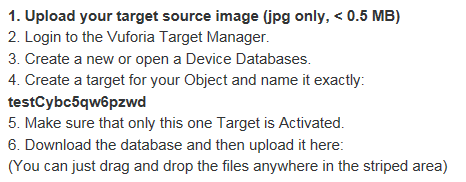
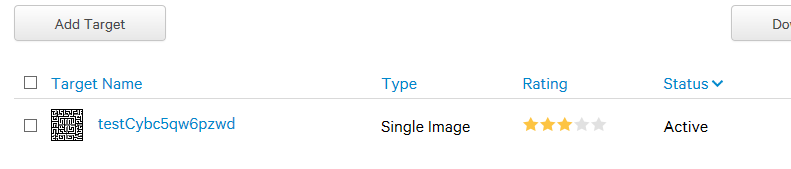
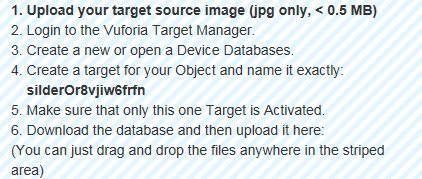
Hi @Sunny, When you upload the targets, you will see a little step by step guide.
In this guide you are shown a generated unique identifier… In your case it will look similar to:
testXXXXXXXXXXXX

whereby the x represent random letters.

You have to use this entire identifier as the name for your target.
I see that you only used “test” as the name.
This is the reason why the object is not showing up.

I found the question.Afetr I upload the target the “Upload” buttons dose not not change to green.

What can I do to solve this question?Thanks

@Sunny if you have installed HybridObject on your Windows PC then what are you using the yun for ?
also is the PC and ipad on the same network ?

Yes,both ipad and PC are on the same network.I didn’t use the yun,I just put the target on it.

Hi @Sunny,
first off all, please try to update to version 1.6 for the editor and the server (yun).
This brings us all on the same page…

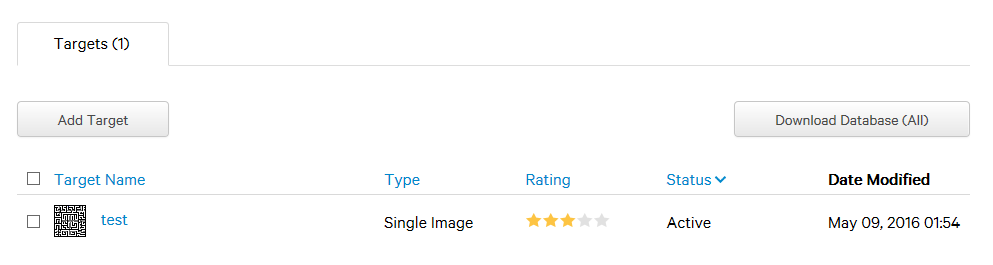
Second I can see that you name your object “test” but you name your target “sliderXXXXXXXXXXXX”.
This will not work.

You need to generate a target that has the same name then the object.
When you click on add Target, the interface will provide you with the right name that you only need to copy past.

If this is not the case, please delete your test object and try it again.

I am sorry that this is so complicated, but it is out of our hands. It is the cumbersome Vuforia interface that makes all the trouble. If I would be able to have control over the target generation, you would just drag and drop a JPG image and thats about it. No complicated naming.

Thanks a lot @valentin
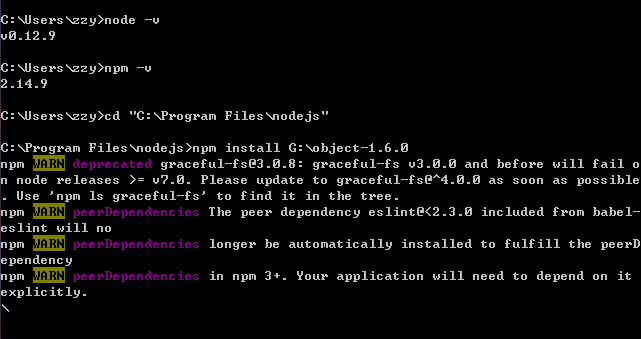
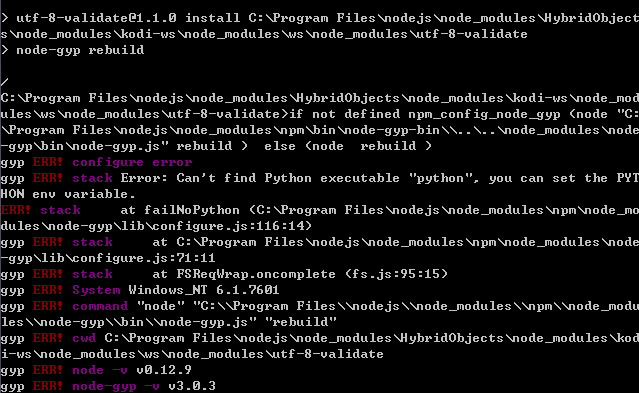
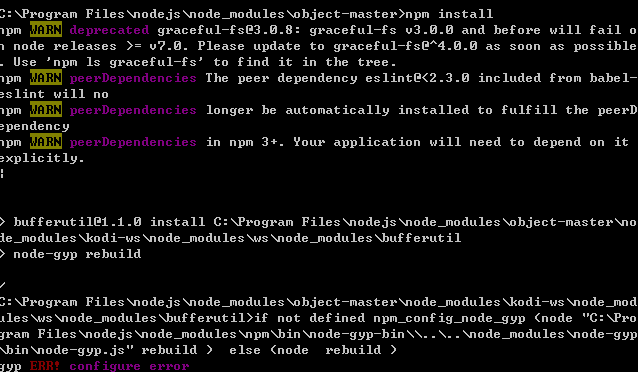
I try to install object-1.6.0,but failed.The node.js in my pc can not install it successfully.So I have to use object-master I download before.
Follow the step you give me,I changed the target name into the fourth bullet point at the top of the main page show.


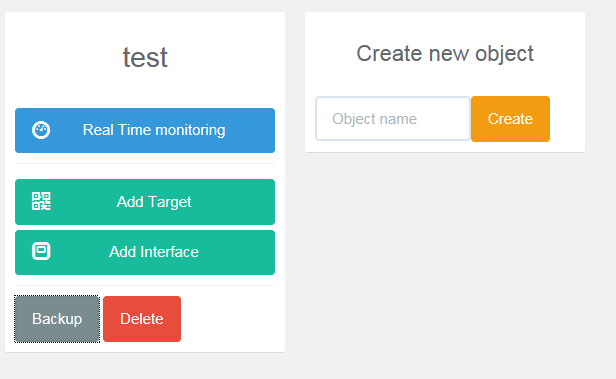
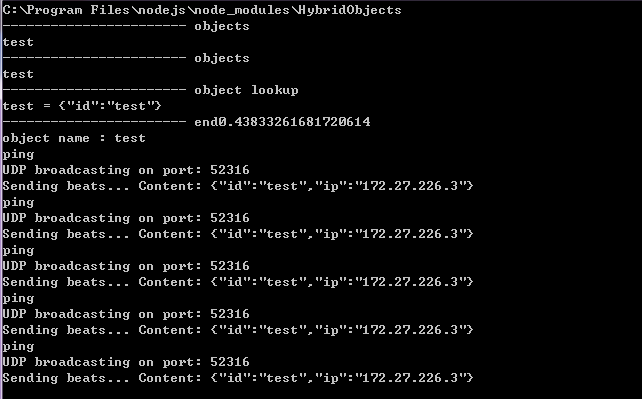
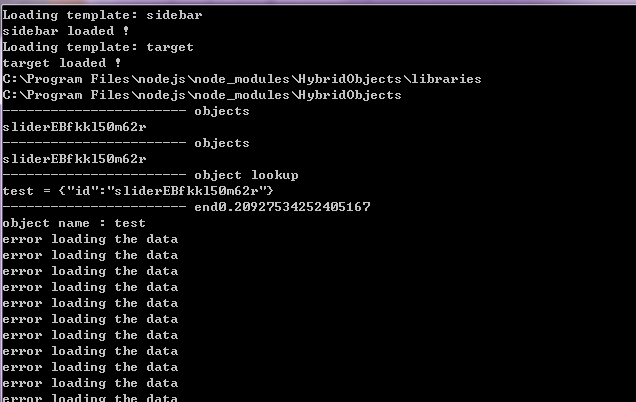
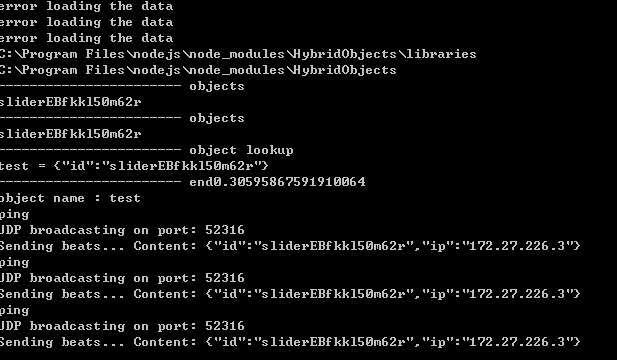
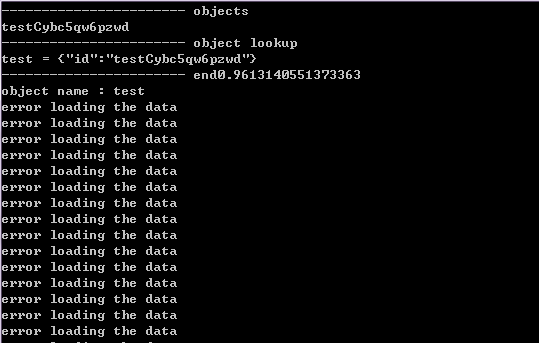
But I still cannot find bird on app. And I discover that when I click the Real Time Monitoring button of the main page, the node.js give the infor error loading the data.

Other infor:

:cold_sweat::dizzy_face::disappointed_relieved::tired_face:
Maybe I did something wrong?

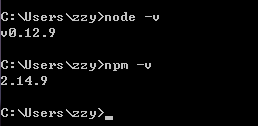
Which version of nodejs do you use? (type in command line: node -v).
Have you followed the step by step guide?
Did you run npm install in the server folder?

The reason why you get all these error messages is, because you where using work in progress software.
The Real Time Monitor with the version you use was always broken and we replaced the entire developer interface anyway in 1.6.

Lets try to figure out why you can not run version 1.6 and then it should work.
If you can not run the version 1.6 maybe others have the same problem. So it will help all of us if we get it run together. :slight_smile:

HI @Sunny is the object showing up in the objects list in Reality Editor ?
the bird wont showup unless the reality editor shows the object in the object list
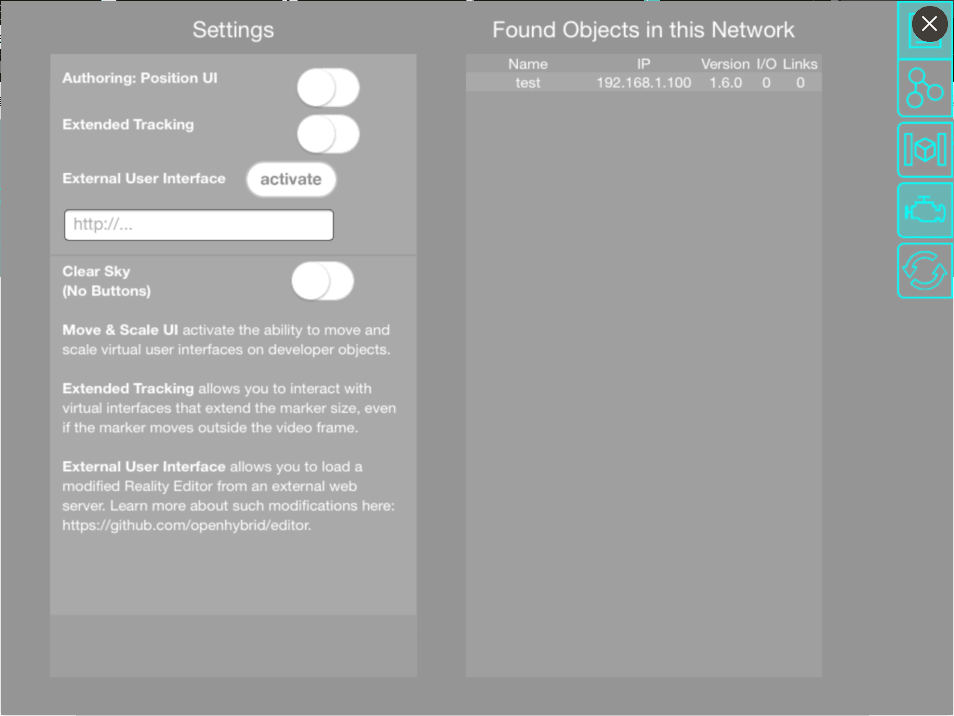
The " Found Objects in this Network part "
It seems that his server was working previously and still the object was not showing up
I cant check this as i dont have an iOS device with me currently ,sorry about that

@Sunny are both your computer and your iOS device are in the same network?
Is your network a personal router? University or Cooperate Networks do not work. It has to be a simply home router.

Both iphone and my PC are connected to the wifi from my roomie’s PC.
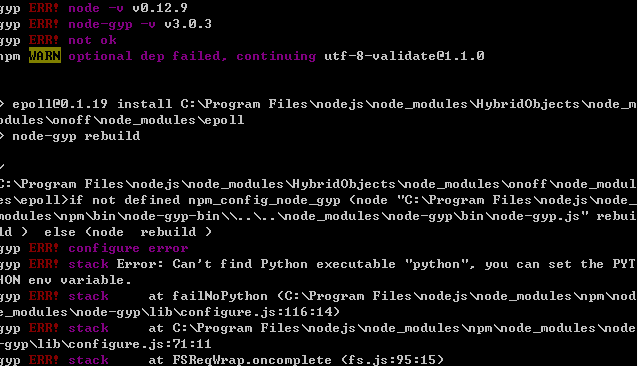
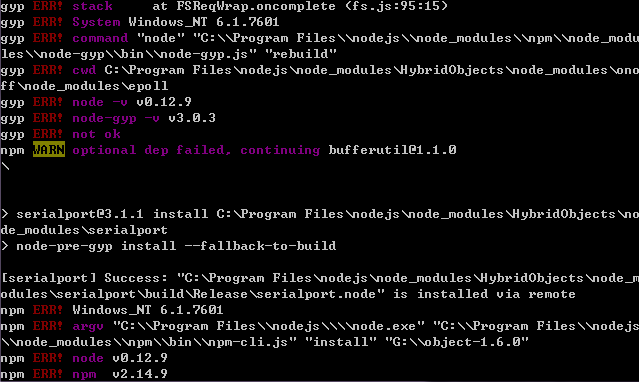
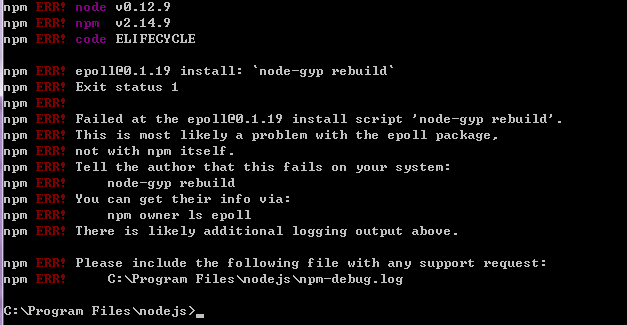
Install infor:


@Sunny have you installed python ? if not install it with the ADD TO PATH option selected
else if you have installed , set the PATH to python

@Sunny I think you do the installation wrong.
You have to go in to the folder G:\object-1.6.0 an from within that folder you just have to execute npm install with no additional parameter. You get all of these error messages, because you are in the wrong folder.

@V_Mohammed_Ibrahim I am not quite sure if he needs to install python. I don’t see a reason for that and if so, we should remove the modules from the source that needs python to be installed. It must be enough to have nodejs installed only.

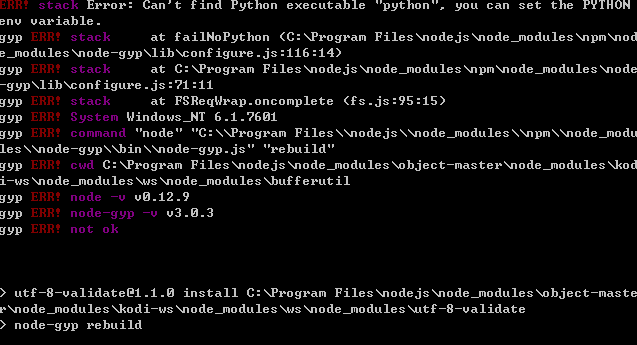
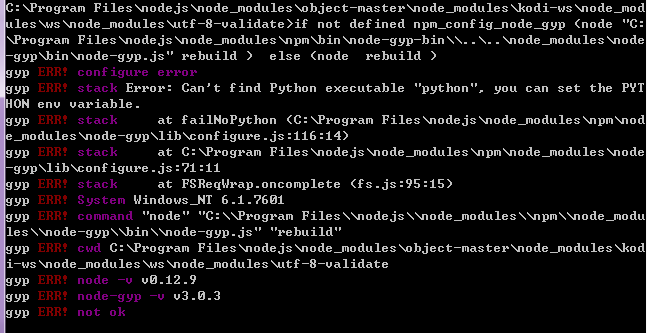
I also see that node-gyp makes the error. mmm I will try to learn how we can get around the python installation.
Meanwhile you can follow this installations here: https://github.com/nodejs/node-gyp
Which is a bit not so optimal…

Hemmm. I just see that python is preinstalled on osx and linux. So the issue is really just on windows.
node-gyp is an essential part of some of the libraries that we use.

I see two ways: We can remove many of the hardwareInterfaces that make use of node-gyp.
Most of the time you don’t want to use them. Or you install python for windows.

Yes , that is right
I just checked npm install after uninstalling python from windows ,
We should update the documentation with this info

Update : It would be better to use it on a linux/OSX , windows need to many things
for me it is showing some visual c++ error

perfect. the problem came from “on-off” module which is used for the PI, “ws-kodi” which was needed for the kodi hardware interface and the “serialport” which was needed for the ArduinoYun.
All of these modules need python in order to get installed.

I think we can live with this simplified version and make a comment in the documentation.
People should install this simple version on windows machines.

what is the error message? Probably a module is missing.

Hi @valentin
I open the UDP port 8080 80 and 52316 on windows fw,both inbound and outbound.
But… the app still cannot find the object in the “Found Objects in this Network”.
The Wifi info:

(hybrid)
(iphone)
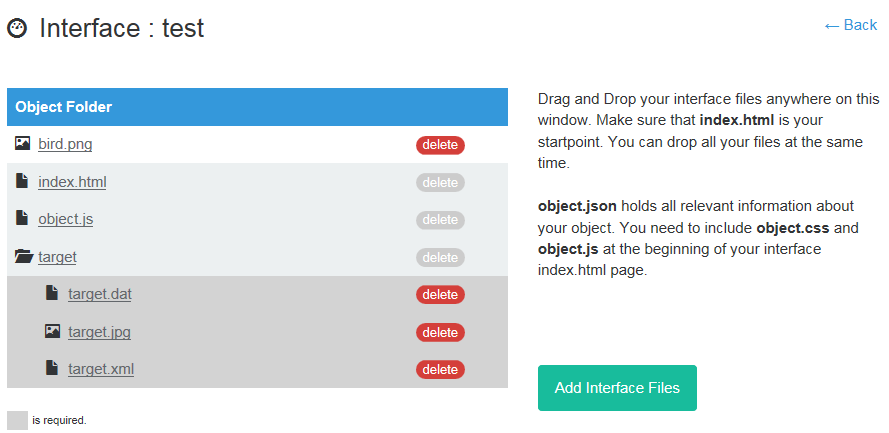
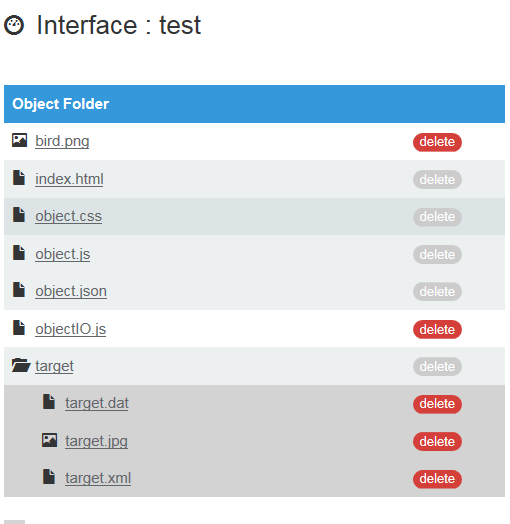
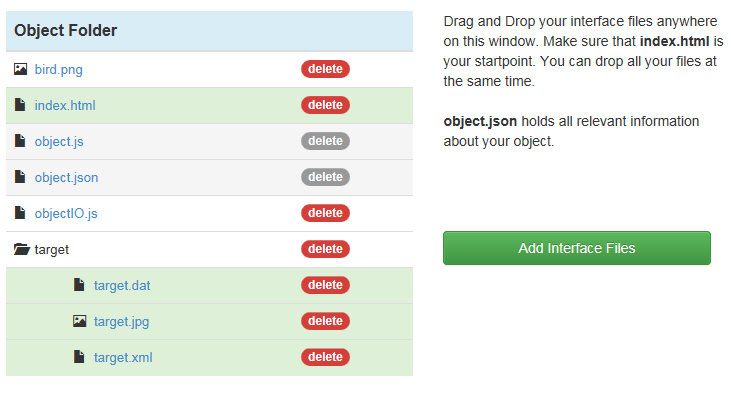
In Object Folder I add the document from Examples(HybridObject-master – examples – readWrite), I download before.

When I open app on iphone the node,js do can get information.So Does this problem caused by iphone or reality editor or OpenHybrid server?(It seems like Openhybrid can find reality editor but reality editor cannot find Openhybrid)

@Sunny I believe that the problem is in your wireless network.
Open Hybrid is working with a normal home grade router, but your setup is some kind of PC network sharing.

I just updated https://github.com/openhybrid/object/tree/v1.6.0_withoutExtraHardwareInterfaces 1 with a test server.

Can you please download it, open the Terminal and call npm install within that folder and then execute the following:
node webServerTest.js

This creates a very very basic web server on port 8080.

On your iOS device can you type in the address of your computer and the 8080 port in to the safari browser like so:
http://<computer IP>:8080

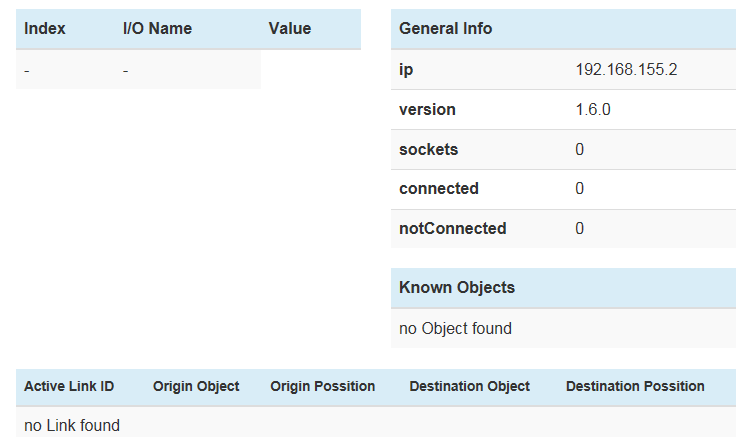
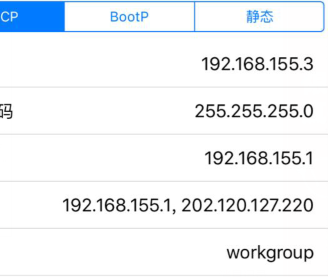
According to the screenshots you send before, in your case this would be:
http://192.168.155.2:8080

If you see a bird in your phones web browser, this means that the network connectivity should work.
If nothing happens, your network is blocking the peer to peer connectivity.

In that case you can try to figure out how windows blocks this kind of communication or just buy a cheap WIFI router like this one here: http://www.amazon.com/TP-LINK-TL-WR702N-Wireless-Repeater-150Mbps/dp/B007PTCFFW/ 4

@Sunny @valentin he problem might be because the option to enable devices to discover each other on network might not be working/ enabled on windows
Once it happened to me. I don’t remember exactly how i fixed it , but it is probably the case here

@Sunny I can only see one last reason:
Your iPhone does not receive the broadcasting messages from the Computer. This has to be the reason why nothing is showing up in your editor.

This can have two reasons:

  1. Your computer firewall is blocking outgoing UDP broadcasts.
  2. Your Router is blocking the broadcasting signals.

On windows machines most ports are blocked by anti virus tools, traffic control software or firewalls.

For a test, please stop all firewalls, anti virus tools and traffic control software on your computer.
Make sure that TCP/IP port 8080 is reachable and allows for sending (which you just did).
Make sure that UDP port 52316 is reachable and allowed to send data.

If the reality editor is still not showing any objects continue with the following:

I have written another test.
Please download https://github.com/openhybrid/object/tree/v1.6.0_withoutExtraHardwareInterfaces 5 again.
Perform the installation with npm install again and then run the following test:
node udpBroadcastTest.js

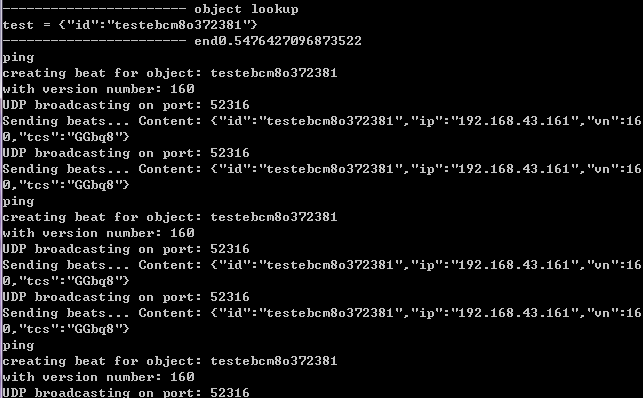
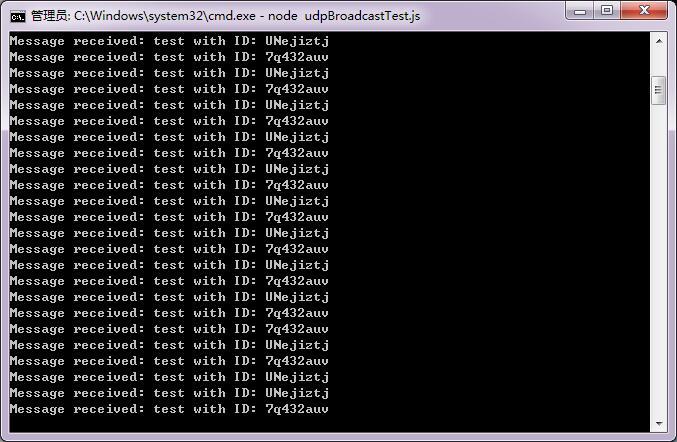
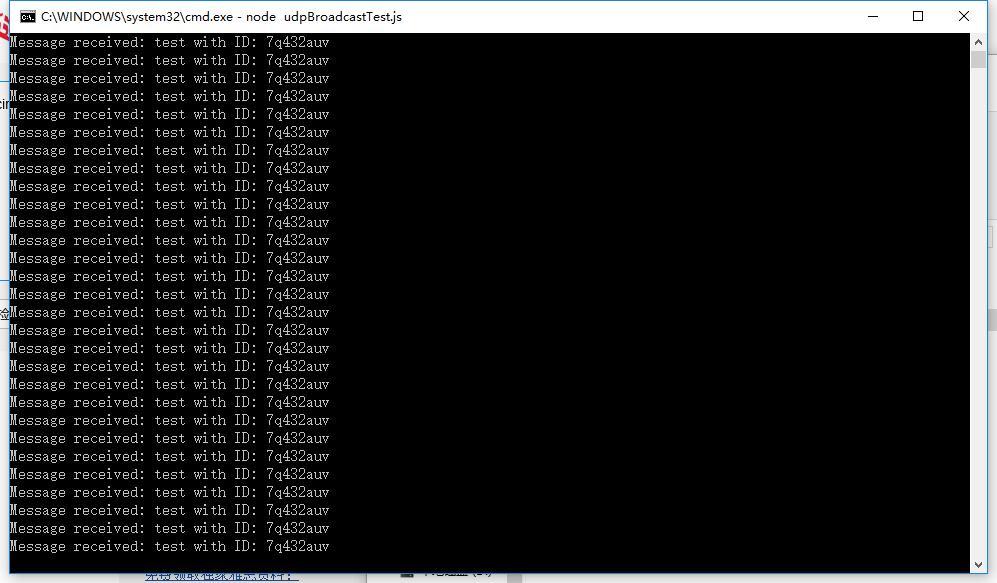
You should see messages popping up in your computer similar to:
Message received: test with ID: xxxxxxxx

If this is the case, install the same v1.6.0 on a second computer and run node udpBroadcastTest.js on both computer in the same time.

You should see messages with different ID’s popping up in both computers.
Message received: test with ID: xxxxxxxx
Message received: test with ID: yyyyyyyy

If you do not see messages from two different computer popping up while both computer are running the test, your network or computer is still blocking UDP broadcasting messages.

@valentin I use 3 windows PC(A B C) to do this test.All PC are stop firewall.A is use as a router.B and C are installed the same v1.6.0. When I run “node udpBroadcastTest.js”
B only popping up: Message received: test with ID: xxxxxxxx
C only popping up: Message received: test with ID: yyyyyyyy
I do not see
Message received: test with ID: xxxxxxxx
Message received: test with ID: yyyyyyyy
In both PC.
So,that is to say, Share a Wifi hotspot open by PC with others is usesless to this programe?

@Sunny Now we know that the broadcasting messages are not received by the other side.
This is the reason that the Reality Editor can not see the objects.

This can have two reasons. Your WIFI Sharing computer is blocking client to client communication or it is blocking udp broadcasting. For the second reason I could find: http://stackoverflow.com/questions/21757185/windows-7-block-udp-broadcast-message 2

Never the less. I think it is getting to complicated here.
I highly advise to use a router instead of an internet sharing. You can find a small router for $10-14 2. I could find the same model in every international store including china.

Thanks a lot !@valentin.I use a TP-LINK TL-WR885 router to do this test,but the same phenomen occurs.
PC B only popping up: Message received: test with ID: xxxxxxxx
PC C only popping up: Message received: test with ID: yyyyyyyy
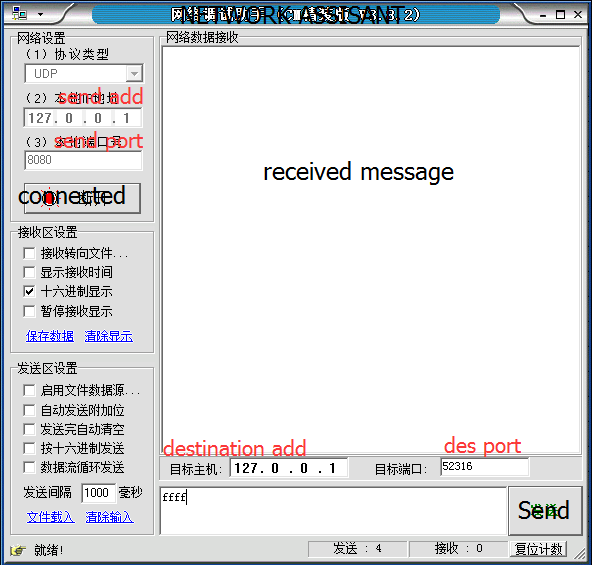
So I use a software “Network Assistant”,I discover B and C’s UDP 8080 and 52316 ports can communicate with each other.
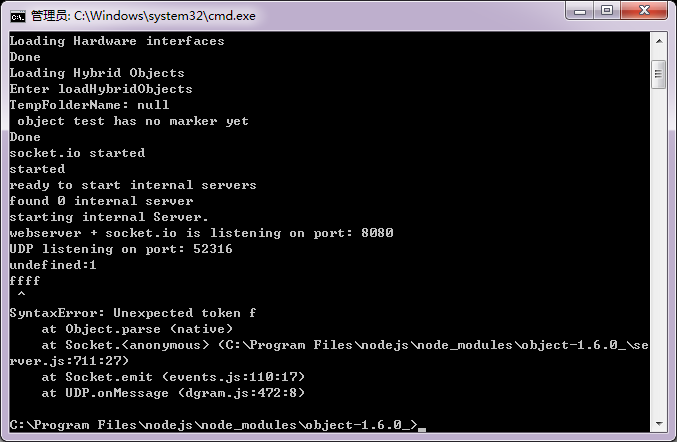
But when I start the server and use this software to send message to UDP 52316 port from UDP 8080,it will occur these phenomen:
1.Send letter:


node get message but the server down.
2.Send number,nothing happen.
So I think unicast is ok,but broadcast I am not sure, can TP-LINK default mode block broadcast?

@Sunny
If you send messages to 127.0.0.1 you are sending messages basically to your localhost.
This does not prove that any UDP messages leave your computer.

If you use a router like the TP-Link everything should work out of the box.
Some router prevent client to client communication when you are for example in a guest network mode.
Please check if your TP-Link has such a client to client setting.

Please follow the examples above for how to prevent your windows from blocking UDP broadcasts.
Again. Checking connections for 127.0.0.1 do not really give you any proof as it is just A computer internal address.

Hi valentin,I got it!Because of changing a router.When I open the app something appear in the"Found Objects in this Network",but i still can’t find the bird.


And something veryyyyy funny I want to share:
I use 2 PC to do udp broad cast test, one can get the other’s id,the other one can’t get.

And it is proved that the computer who can get the other’s id can’t spread message.that is it can receive message,but it can’t send message.:confused::pensive::unamused:

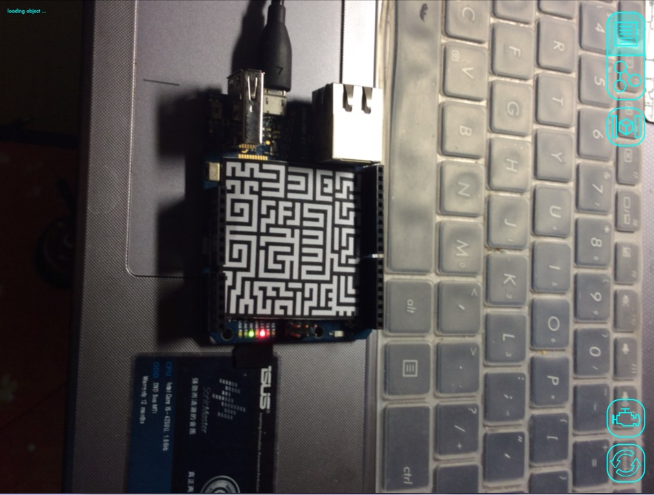
@Sunny if the object is detected then the bird should be displayed too , did you try moving the ipad closer/away from the marker image ? or try changing the orientation of the ipad (rotating it )?

I just try this example of readWrite without setting Vuforia, just upload target.jpg and target.zip.Dose it work?

@Sunny I see. I think there is a mistake in the example.
You should call your object “slider” because that target.jpg and target.zip was generated for an object called slider.
When your object is called test, it will not work.

So I should named the object slider,and change the name of .zip and .jpg to sliderXXXXXXXXX?

It has nothing to do with what is the name of your target jpg or zip file. Renaming does not work.
The data is within the zip file.

Two choices:

  1. You follow the guide on how to generate a target for your object.
  2. You use a pre-generated target, but then you have to give your object the name for which the target was generated.

If you use the readWrite example provided with the Arduino library then you have to call the object slider.
If you use any of the other pre-generated targets use the name of their files. For example obj45.jpg and obj45.zip works with an object that is called obj45. These files have been named according to the object they were initially generated for.

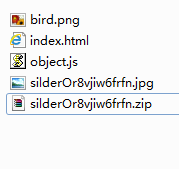
Oh,I reabuilt an object named slider,but when I upload the target.jpg and the target.zip in reaWrite example,should i change their name to silderOr8vjiw6frfn?


I do this just now,but it seems doesn’t work.:fearful:

Please follow the guide…
it does not matter what name you give to your files. This is not relevant.
However, in the vuforia manager you have to give it the name generated in point 4 of the guide.
That is all. It will generate a zip file with a marker responding to your object name.

This is because the readWrite example has a UI interface that is a slider.

@Sunny did you find the example difficult to follow ? Or is there any part of the example that you would like to be better explained in the site ?

No,the guidelines are not difficult to follow,just at begining I don’t know where to start.Maybe given the step 1 2 3 4 on how to accomplish the Arduino Yun example is better for a beginner.Or maybe I didn’t have talent to do this,so I should be more assiduous.
When I follow the step but can not get the result as expected,I feel a little anxiety.
A little question:Can I use a switch instead of the force sensor?Because I found I can not control the LED(unlit) through the switch and also through reality editor,afer upload the sensorAndSlider.ino to Aruino Yun.(When I exchange the wire of A0 and GND it seems it can work ).Thank you!

Did you program the arduino as given in the exapmle ? you can control the led through the Reality editor and the switch once you program the arduino

Yes,I upload the sensorAndSlider.ino into arduino yun,(yun pc ipad are in the same network) but the switch cannot control led.Once I exchange the wire on A0 with GND,the switch can control the led,the app still cannot.

How can I know if Arduino can communicate with the openhybrid server? Thank you!

Hi Sunny,
there was a bug in the latest server version, that prevented the data coming from the Arduino to be send to the Reality Editor. The image files for the Arduino are updated. It should work now.

Could you please give me the link?I am afraid I download a wrong one.

hello,valentin.
im so exciting to see this technology.
im a iOS programmer.
I’m studying about this technology.
so which is the very step to start it .
I’m long that hear your reply. or my e-mail [email removed]
im a chinese. so how to reach for u if convineer.
we use wechat more often .do u get one? add mine?

Jim Walker

10 days later

@valentin I use the server v1.6.0(because v1.6.1 can not be installed) and Arduino Yun Image v1.6.1,but the I/O point still don’t appear on the “Found Object in this Network”.